
Installer, all users
Windows 11 first-level menuRequires administrator rights
7-ZSTar-26.05.1-x64.msi Download7-ZSTar 26.05.1 · fork of 7-Zip · Windows · open source · LGPL v3
Your whole project, packed in seconds. 7-ZSTar is an open-source fork of 7-Zip for Windows: zstd compression, one-pass tar.zst and, with the all-users MSI, a first-level Windows 11 right-click menu.
MSI for all users (first-level menu) or just you · portable ZIP · x64 · x86 · arm64
File Explorer icons
These are the icons 7-ZSTar gives your archives in File Explorer. The color band shows the extension. Open a .tar.zst and you see the files inside right away, with no .tar to unpack and open first.
One pass, both ways
Compress to tar.zst and your files stream straight into the archive. Extract it and they stream straight back out, with no .tar written either way. Official 7-Zip can't create a .tar.zst, and it extracts one in two steps, through a .tar. Here, eight tar formats compress in one pass and ten extract in one step.
Measured, not promised
10× faster than 7z.
On three real project folders, tar.zst finished 10 to 18 times faster than 7z. It also came out 15 to 23% smaller than zip, and no slower.
tar.zst archives are 15 to 27% larger than 7z. If the smallest file matters most, 7z is still the one to pick.
| Folder | Files | Raw size | zip | 7z | tar.zst |
|---|
zip, 7z and tar.zst all at default settings. 7-ZSTar 26.05.1 x64 (7z.exe), one machine (Intel Core Ultra 7 155H, NVMe SSD), three real project folders, median of 3 runs, 2026-11.
Screenshots
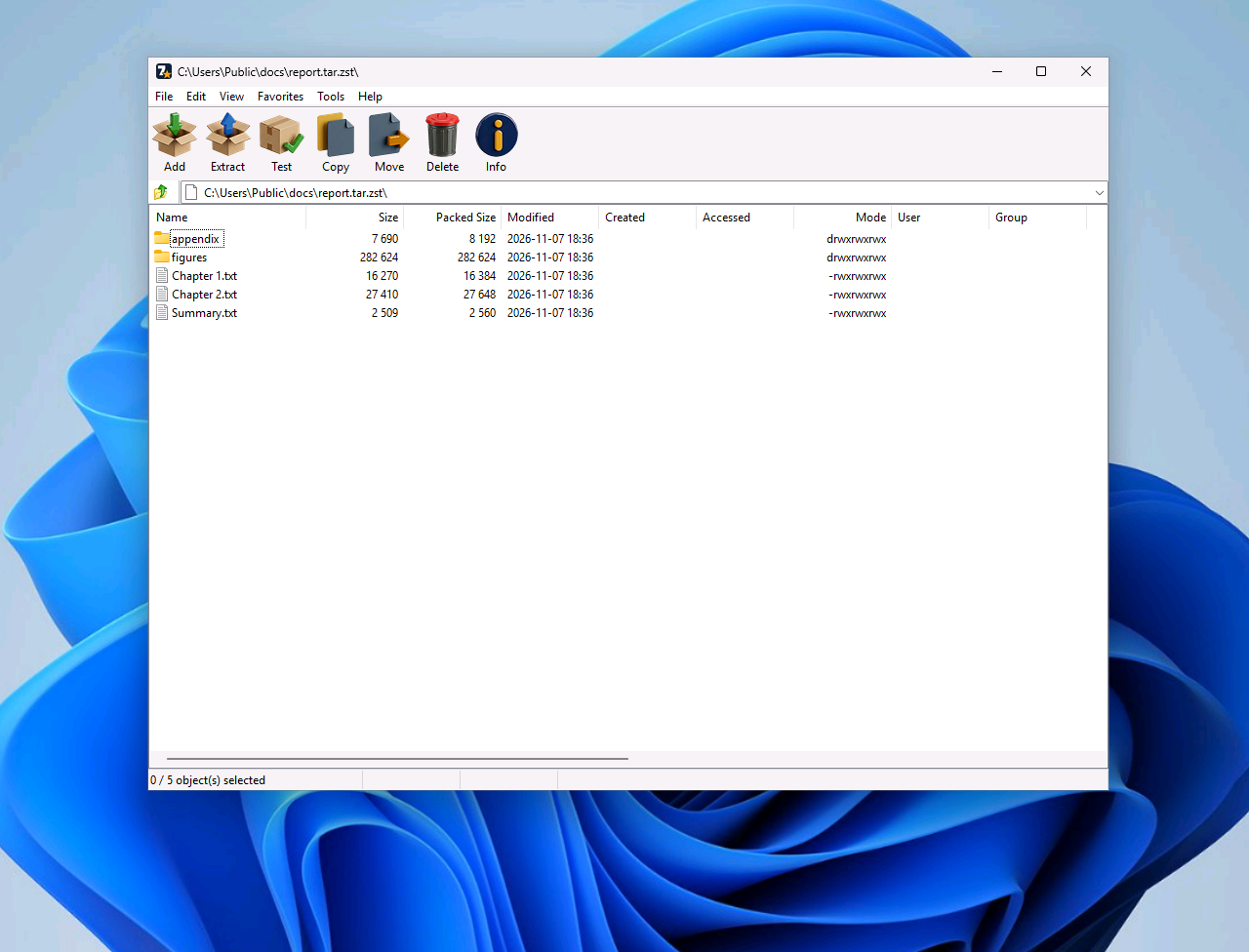
The file manager opens a .tar.zst as one archive, so there's no .tar to unpack first.
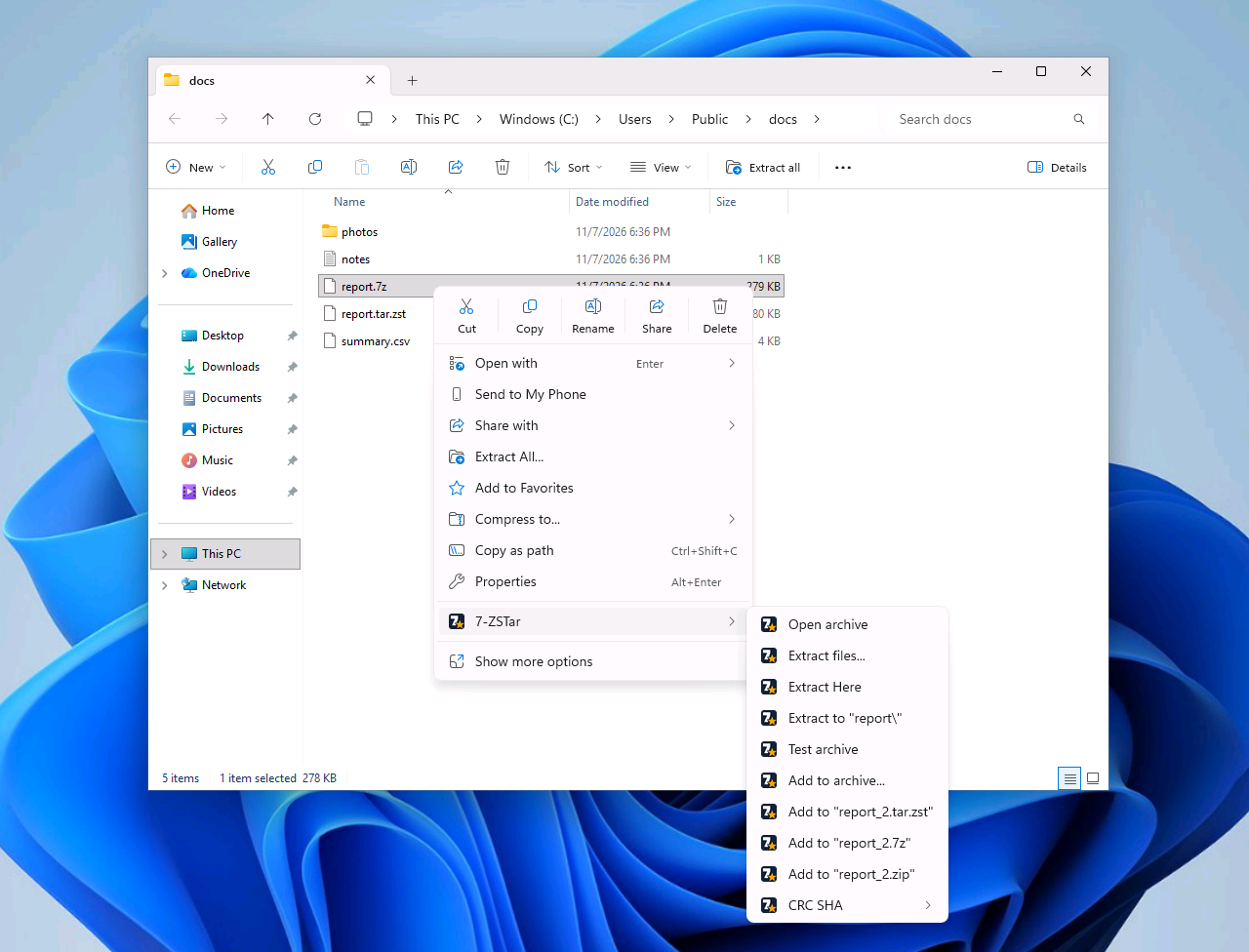
Right-click a file and it's there, no “Show more options”. The submenu extracts in one click, or adds the file to a .tar.zst, .7z or .zip. It comes with the all-users MSI, which needs administrator rights.
Interface languages
7-ZSTar ships 92 interface translations, each listed here under its own name. To switch, open the Tools menu, choose Options, then the Language tab.
7-ZSTar is free to use, whether you chip in or not. If it has saved you some time and you'd like to say thanks, you can send crypto to the address below. It goes to me, DraftingDreamer, for my own development costs, and doesn't buy features, help, or any promise about what comes next.
EthereumPolygon
Any token on Ethereum or Polygon is welcome: ETH, POL, USDT, USDC or anything else. It's the same address on both networks.
0x6c60bFCaDfb3AD63eC6D821baB0E6323361BFD4f
Starring 7-ZSTar on GitHub or telling a friend helps too.
Windows, x64, x86 and arm64. A standard MSI for all users or just you, or a portable ZIP.
Requires administrator rights
7-ZSTar-26.05.1-x64.msi DownloadThe installers are not code-signed, so Windows may show a SmartScreen warning the first time you run one; you can check your download against SHA256SUMS on the release page.